See what needs your attention.
Know when your AI is working, waiting for approval, or ready for your next instruction.
Working Needs approval
A simple workspace for building apps and AI agents with Claude Code and Codex.
Keep your terminal, files, and code together, with the essentials close at hand.
Your projects stay on your Mac. Your AI tools work alongside you.
LESS MANAGING. MORE MAKING.
Work with your AI, follow its changes, and pick up where you left off—all in one focused workspace.
Know when your AI is working, waiting for approval, or ready for your next instruction.
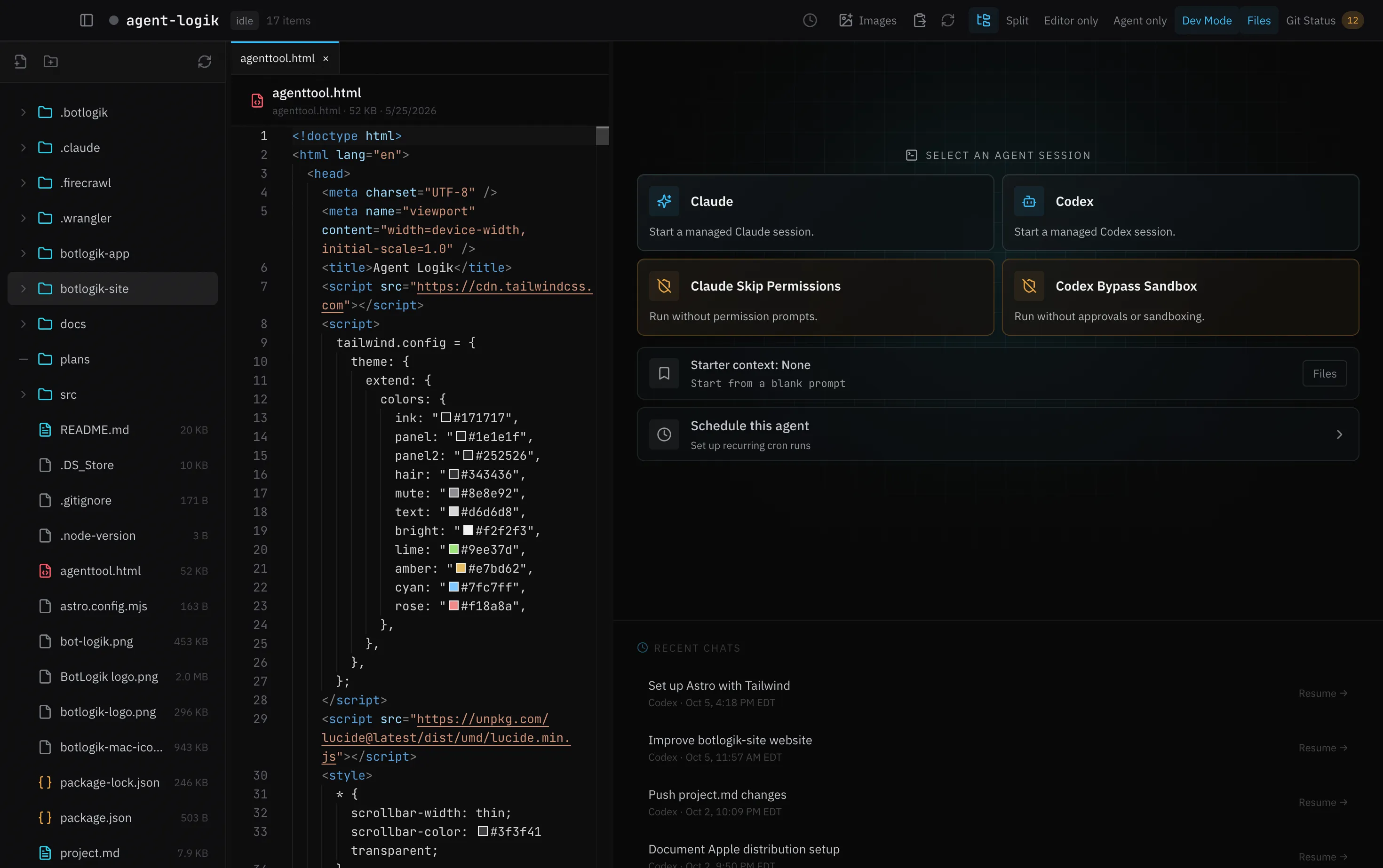
Keep your files, editor, and AI terminal side by side. Review what changed and make adjustments without switching windows.
Reopen a project and resume your Claude Code or Codex conversation. Keep scheduled work within reach.
FAMILIAR TOOLS. A CLEARER WORKFLOW.
Bring an idea, a project folder, and your AI tools.
BotLogik keeps the work together.
Open an existing folder or create an agent workspace.
Launch Claude Code or Codex directly in your workspace.
Give instructions, review the changes, and keep going.
A FEW THINGS TO KNOW
BotLogik runs your installed Claude Code and Codex tools in real terminal sessions. You keep their familiar tools and conversations, with your files and editor alongside them.
A Mac with Apple silicon, plus Claude Code or Codex installed. Download BotLogik, open the installer, and move the app to Applications.
BotLogik manages workspace files, app configuration, and terminal sessions on your machine. Claude Code and Codex still connect to their providers according to your own setup.
Work with Claude Code or Codex, browse and edit project files, and review code changes in one window. BotLogik keeps the everyday tools for building with AI close at hand, with a focused interface that’s easy to navigate.
MAKE ROOM FOR YOUR NEXT IDEA.
A simple place to build with Claude Code and Codex.
For Macs with Apple silicon.